Generate more Black Friday sales in WooCommerce with Sales Drawer Pro
Black Friday traffic only sells when shoppers see the deal. How Sales Drawer Pro uses campaigns, targeting, honest countdowns and revenue analytics to sell more.
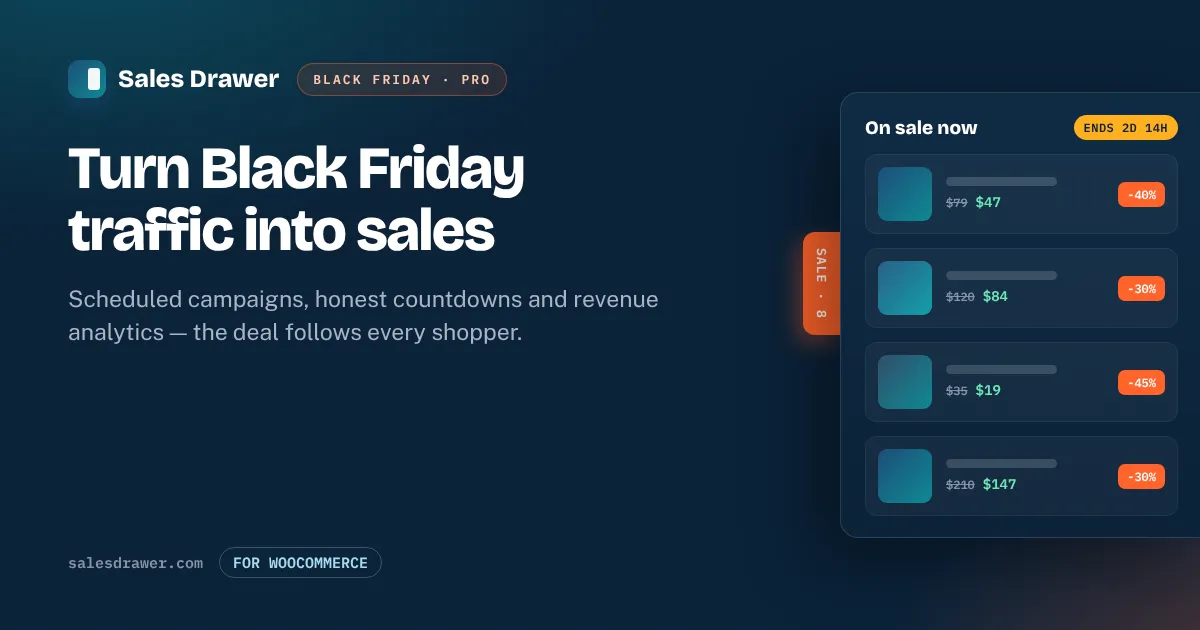
On Black Friday you don't have a traffic problem — you have a visibility problem. Shoppers land on a product page or a blog post from an ad or an email, never see that half the store is on sale, and leave. The stores that win the weekend are the ones that put the right deal in front of every visitor, at the right time, and then measure what actually earned.
That's exactly what Sales Drawer Pro is built for. Here's how to use it to generate more sales this Black Friday — not with louder popups, but with a calmer, better-targeted offer that follows the shopper around your store.
Put every deal in front of every shopper#
Most visitors never reach your home page. They arrive on a product page, a category, or a blog post — and that's where the sale has to be. The free plugin already shows every on-sale product in a slide-out drawer on every page. Pro adds the control to make that drawer work hard over a busy weekend:
- Product rules build a campaign by category, tag or brand instead of hand-picking items, so new stock that matches is pulled in automatically.
- Custom ordering and rotation put your highest-margin or best-converting deals first, and rotation spreads exposure across a big sale so it isn't always the same three products on show.
Schedule the whole weekend as campaigns#
Black Friday, the weekend and Cyber Monday usually deserve different offers — and changing prices by hand at midnight is how mistakes happen. In Pro, a campaign is a named sale with its own products, look and schedule that switches itself on and off:
- Set up Black Friday, Weekend and Cyber Monday as separate campaigns, each with real start and end times. Double-check your timezone in Settings → General first (scheduling guide).
- When several campaigns overlap, priority decides which one a visitor sees — so a time-limited Cyber Monday flash sale can sit on top of a site-wide weekend discount.
- Nothing fires early and nothing lingers: the deal appears the moment the sale starts and disappears when it ends, with no 2am logins.
For the full run-up, pair this with the week-by-week Black Friday checklist.
Add countdowns that create urgency honestly#
Urgency sells — but fake urgency burns trust and, in the EU and UK, breaks the rules. Pro countdowns show “Ends in 2d 14h” in the drawer, driven by the real campaign end date. They never restart and they never invent a deadline, which keeps you on the right side of the reference-price and countdown rules while still giving procrastinating shoppers a reason to buy now.
Show the right offer to the right shopper#
A single blanket discount leaves money on the table. Pro targeting lets each campaign appear only where and to whom it makes sense:
- URL patterns — run a landing-page-specific deal with wildcards like
/black-friday/*. - Visitor type — greet new visitors with your headline offer and returning shoppers with something different.
- User role — keep retail promotions away from wholesale customers.
There's also a “notify me” form at the foot of the drawer. Every Black Friday visitor who isn't ready to buy can join a list in your own WordPress database — an audience you own for the next sale, exported as CSV whenever you want.
Know what actually earned#
The point of all this is revenue, so measure it. Pro records impressions, opens, product clicks, add-to-carts and the orders and revenue each campaign and product actually produced, with a configurable attribution window. You can also forward drawer events to Google Analytics 4 or Google Tag Manager and fold them into your existing reporting.
Forwarding is one line in your setup if you already run Google Analytics 4, so drawer opens and add-to-carts land next to the rest of your store's data. That means on the Monday after, you're not guessing. You can see which campaign pulled its weight, which products converted, and what to repeat — the difference between “Black Friday felt busy” and knowing what the sale really did.
Put it together#
- Activate Pro — your current setup becomes your first campaign automatically.
- Build Black Friday, Weekend and Cyber Monday as separate campaigns with product rules and real schedules.
- Turn on honest countdowns and set priority so the right deal wins when they overlap.
- Target campaigns by URL, visitor type or role, and add the notify-me form to grow your list.
- Watch the revenue report through the weekend and keep what worked for next year.
Traffic is the easy part on Black Friday. Turning it into sales is about visibility, timing and honesty — and that's what Sales Drawer Pro automates.
Frequently asked questions#
How does Sales Drawer Pro help me sell more on Black Friday?#
It makes your deals visible on every page, schedules Black Friday, the weekend and Cyber Monday as separate campaigns that switch themselves on and off, adds honest countdowns and targeting, and reports the orders and revenue each campaign actually produced — so more shoppers see the right offer and you can measure what worked.
Can I run Black Friday and Cyber Monday as separate sales?#
Yes. In Pro each is its own campaign with its own products, look and schedule. When they overlap, priority decides which one a visitor sees, so a time-limited Cyber Monday flash sale can sit on top of a site-wide weekend discount.
Are the countdown timers compliant with sale-pricing rules?#
Pro countdowns are driven by the real campaign end date — they never restart and never invent a deadline. That keeps the urgency honest and helps you stay within the EU Omnibus, UK CMA and US FTC guidance on reference prices and countdowns.
Can I see how much revenue the Black Friday sale generated?#
Yes. Pro records impressions, opens, clicks, add-to-carts and the orders and revenue each campaign and product produced, with a configurable attribution window, and can forward events to Google Analytics 4 or Google Tag Manager.
Do I need the free plugin as well as Pro?#
Yes — Pro is an add-on. Keep the free Sales Drawer plugin active, then install Pro and activate your license key to unlock campaigns, targeting, countdowns and analytics.